Everything you actually hand out on the day, ready to print
A seating chart on a screen doesn't help the person at the welcome table. Seatview has two print views, straight from the browser: a summary sheet with seating by table, a find-your-seat list and a catering summary, plus a separate floor plan of the room.
Start planning free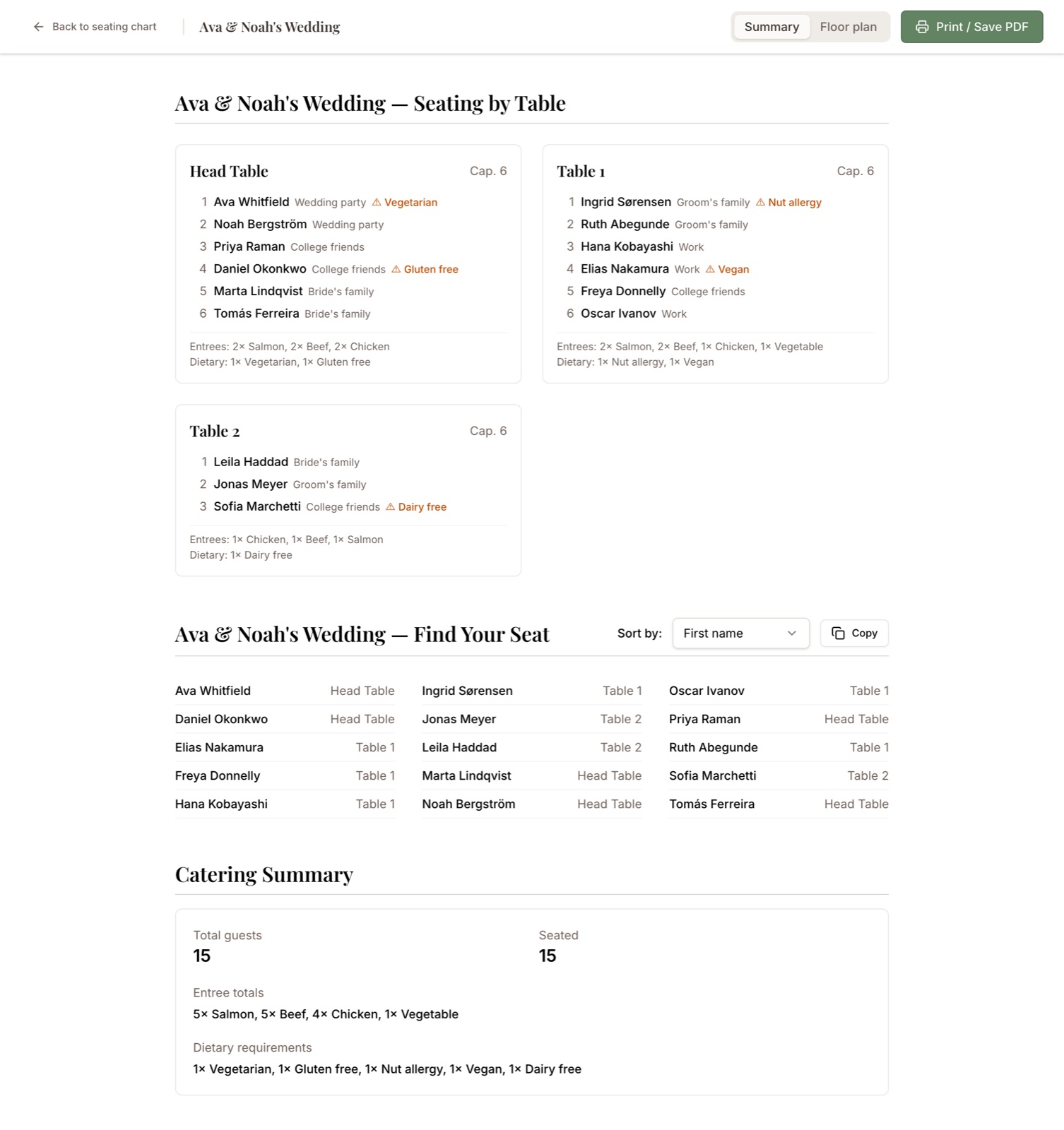
Find-your-seat list
Every guest paired with their table, sorted by first name, last name, or table, so arriving guests at the welcome table can find themselves without a queue forming.
Floor plan
Its own print view: the room with every table named and positioned as you laid it out, so your coordinator can place cards without asking you twice.
Catering summary
Entrée choices and dietary needs totalled for the whole event, with per-table counts on the seating-by-table section, in the form a caterer actually asks for.
Export the raw list too
Need it in a spreadsheet instead? Export the full guest list to CSV and hand it over in whatever form the venue prefers.
Finish seating your guests
Build the chart by dragging, or let auto-assign fill the tables and adjust from there.
Choose a view
Print the summary sheet for the welcome table and caterer, or switch to the floor plan for your coordinator. Both are laid out for paper, not for a screen.
Print or save as PDF
Print directly, or use your browser's print dialog to save a PDF to email to the venue.
Common questions
- Can I print a seating chart from Seatview for free?
- Yes. Printing is included on the free tier along with every other feature, with no separate export charge. The free tier covers one event with up to 3 tables and 15 guests.
- Can I save my seating chart as a PDF?
- Yes. Each print view opens your browser's print dialog, where you can choose Save as PDF instead of a printer. That PDF can be emailed to your venue or caterer.
- What can I print?
- Two print views. The summary sheet has seating by table with entrée and dietary counts per table, a find-your-seat list pairing each guest with their table, and a catering summary totalling every meal. The floor plan view prints the tables laid out as you arranged them.
- Do I need to install anything to print?
- No. Seatview runs in the browser and prints through the browser's own print dialog. There is nothing to download or install.
Ready when you are.
No account and no credit card. Open the canvas and start seating guests.
Start planning free